






How to Introduce Time Tracking to Remote Employees Without Losing Their Trust
Most time tracking rollouts don’t fail because of the software. They fail in the first two weeks, because of how the tool was introduced — and once a team decides a tool is surveillance, no...

Most time tracking rollouts don’t fail because of the software. They fail in the first two weeks, because of how the tool was introduced — and once a team decides a tool is surveillance, no amount of feature tweaking earns that trust back. This guide is about the two weeks before and after launch, which matter more than the tool itself.
Table Of Content
- Why the Rollout Matters More Than the Tool
- The Trust Tax: What a Bad Rollout Actually Costs
- Step 1: Write the Policy Before You Touch the Software
- Step 2: Say Why, Specifically
- Step 3: Pilot With One Team First
- Step 4: Prepare for Pushback — and Answer It Directly
- Step 5: Set a Review Cadence and Actually Stick to It
- Signs Your Rollout Is Going Wrong
- Frequently Asked Questions
Why the Rollout Matters More Than the Tool
Two companies can buy the exact same software and end up in completely different places six months later. One has a team that logs hours honestly because it’s just part of the job. The other has a team quietly Googling “how to fake activity on [tool name]” — and a manager wondering why the software isn’t “working.”
The difference is almost never the product. It’s whether the team understood why tracking exists, what it actually measures, and who sees the data — before it ever got turned on.
That distinction matters because trust, once lost, doesn’t come back with a settings change. If a team’s first experience with time tracking feels like being watched, every later attempt to explain “it’s really just for billing” reads as backpedaling, not clarification. Getting the rollout right the first time is cheaper than fixing it after.
The Trust Tax: What a Bad Rollout Actually Costs
It’s worth being concrete about what “losing trust” costs, because it’s easy to treat as a soft, unmeasurable concern.
A mid-size software company (roughly 120 employees, mostly remote) rolled out screenshot-based monitoring company-wide with a one-line Slack announcement: “New time tracking tool going live Monday, please install by EOD.” No explanation of why, no policy document, no distinction between roles. Within the first month:
- Three engineers filed complaints with HR about surveillance
- A senior designer negotiated an explicit carve-out in writing before agreeing to install it
- Manager 1-on-1s were dominated by tool questions instead of actual work discussion
- Logged hours became less reliable, not more — people started leaving the tracker running while doing personal tasks just to pad numbers, since the perceived message was “hours logged = job security,” not “hours logged = accurate data”
None of that was a software problem. Every one of those outcomes traces back to a rollout that skipped explanation and went straight to enforcement. The company eventually fixed it — not by switching tools, but by pausing, writing an actual policy, and re-launching with context. Six weeks later, complaints had stopped and logged-hours accuracy had visibly improved, because people were tracking to be accurate instead of tracking to look busy.
Step 1: Write the Policy Before You Touch the Software
The order matters. If you pick the tool first and write the policy to match whatever it does, you’ll end up justifying features instead of designing a policy that fits your team.
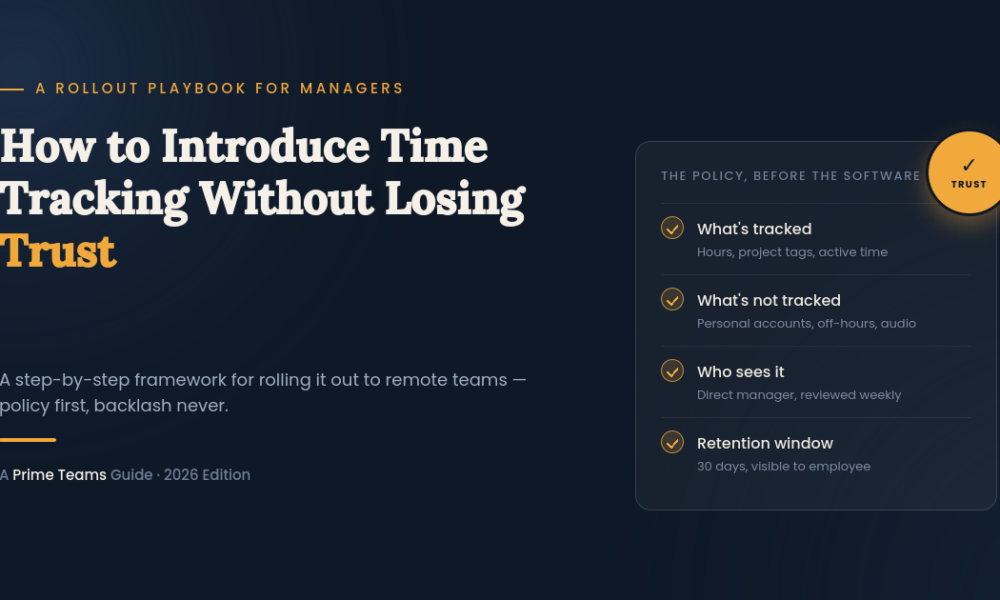
A real policy answers four questions, in writing, before launch:
- What exactly is tracked? Name the specific data — hours, app/website categories, screenshots, idle time — not a vague “activity level.”
- What is explicitly not tracked? This is the line most companies skip, and it’s the one that builds the most trust. “We do not access personal accounts, do not record audio or video, and do not track anything outside scheduled work hours.”
- Who can see the data, and how often? Direct manager only? HR? Reviewed weekly, or only when there’s a specific concern? Vague answers here (“management has access”) read as “anyone, anytime.”
- How long is it kept, and can employees see their own data? A short retention window and self-visible logs are two of the cheapest trust-building moves available, and almost no vendor turns them on by default.
Put this in a real document — not a Slack message — and share it before installation links go out, not alongside them.
Step 2: Say Why, Specifically
“We’re introducing time tracking” is an announcement. “We’re introducing time tracking because three clients have started requiring billable-hour reports, and we’ve had two invoicing disputes this quarter” is a reason. Teams don’t resist tools; they resist unexplained control.
Notice what’s absent: no language about productivity, trust, or performance. If the actual reason involves a performance concern with the team, that’s a different, harder conversation — and burying it inside a tool announcement makes both conversations worse.
Step 3: Pilot With One Team First
Company-wide launches skip a step that costs nothing and prevents most disasters: a two-to-four-week pilot with a single team, ideally the one where tracking matters most (usually a client-billed or compliance-driven team).
What a pilot gets you that a full launch doesn’t:
- Real feedback on whether the policy holds up in practice, not just on paper
- A group of people who can honestly vouch for the tool internally — which lands very differently coming from a peer than from management
- Time to fix data or workflow issues (wrong project tags, broken integrations) before they hit the whole company at once
- A natural checkpoint to revise the policy based on what actually came up, rather than guessing upfront
If the pilot team ends up more frustrated than reassured after four weeks, that’s a signal to fix the policy, not to push through and hope company-wide rollout goes better.
Step 4: Prepare for Pushback — and Answer It Directly
Pushback is normal and usually specific, not vague resistance. Generic reassurance (“don’t worry, it’s not a big deal”) makes people trust it less, not more. Specific answers do the opposite.
Common objections and the kind of answer that actually resolves them:
- “This feels like you don’t trust us.” → Point to the specific business reason from Step 2, and be honest about the difference between measuring hours for billing/payroll versus measuring “trust.” Those are different things, and conflating them is what created the objection in the first place.
- “What happens if I take a break and forget to pause it?” → This is a policy question, not a software question. Have an actual answer: how idle time is handled, whether breaks need to be logged, what happens to unexplained gaps.
- “Can my manager see this in real time?” → Answer with your actual review cadence from the policy. If the honest answer is “yes, anytime,” expect that to generate more concern, not less — this is often the point where teams push to change the policy itself.
- “Why does my role need this when [other team] doesn’t?” → If your policy differentiates by role (billable vs. salaried, as covered in our broader guide), explain that distinction directly rather than letting it look arbitrary.
Managers should have these answers ready before announcing anything — being caught improvising them in front of the team is worse than a slightly delayed launch.
Step 5: Set a Review Cadence and Actually Stick to It
The single fastest way to turn a timesheet tool into a surveillance tool, without changing a single setting, is checking the data constantly. If a manager pulls up screenshots every day “just to see,” employees will find out — and the written policy stops mattering, because behavior overrides documentation every time.
Decide the cadence as part of the policy, not as an afterthought:
- Weekly review for billable/compliance teams tied to invoicing or audit needs
- Biweekly or monthly for general operational visibility
- Ad hoc only, tied to a specific concern, for salaried teams where tracking exists mainly for scheduling and payroll accuracy
Whatever you pick, the cadence should be something you’d be comfortable telling the team directly — because eventually, someone will ask.
Signs Your Rollout Is Going Wrong
Watch for these in the first month — they’re easier to fix early than after they’ve hardened into team sentiment:
- Questions about the tool dominate 1-on-1s instead of actual work
- Logged hours start looking suspiciously round or padded
- People install the tool but avoid using integrations that would make tracking more accurate (a sign they’re minimizing exposure, not engaging with the tool)
- Someone asks HR about it before asking their manager — usually means they didn’t feel safe asking directly
- Turnover conversations start mentioning “monitoring” or “trust” even loosely
Any one of these is a reason to revisit the policy and how it’s being communicated — not to wait and see if it blows over.
Frequently Asked Questions
How do I introduce time tracking without it feeling like surveillance? Write the policy first, explain the specific business reason, pilot with one team, and give employees visibility into their own data. The order and transparency matter more than which tool you choose.
Should I tell employees before installing monitoring software? Yes, both as good practice and, in many cases, as a legal requirement. Announcing before installation — with a written policy, not just a message — is also what prevents most trust issues down the line.
What’s the right amount of monitoring for remote employees? It depends on the role. Client-billable and compliance-driven roles typically justify more detailed tracking; salaried, output-based roles usually don’t need screenshot-level monitoring to get accurate hours. For a full breakdown by role type, see our complete guide to time tracking software for remote employees.
How often should managers review time tracking data? Set a specific cadence as part of your policy — weekly for billable teams, monthly or ad hoc for general operational use — and stick to it. Reviewing constantly, even with good intentions, is what makes tracking feel like surveillance.
Rolling this out and want a tool that supports role-based tracking rules out of the box — lighter for salaried teams, detailed for billable ones — without you having to configure workarounds? See how Prime Teams handles this or book a 15-minute demo.







No Comment! Be the first one.